
openQCM NEXTModify the measurement, not just the data.
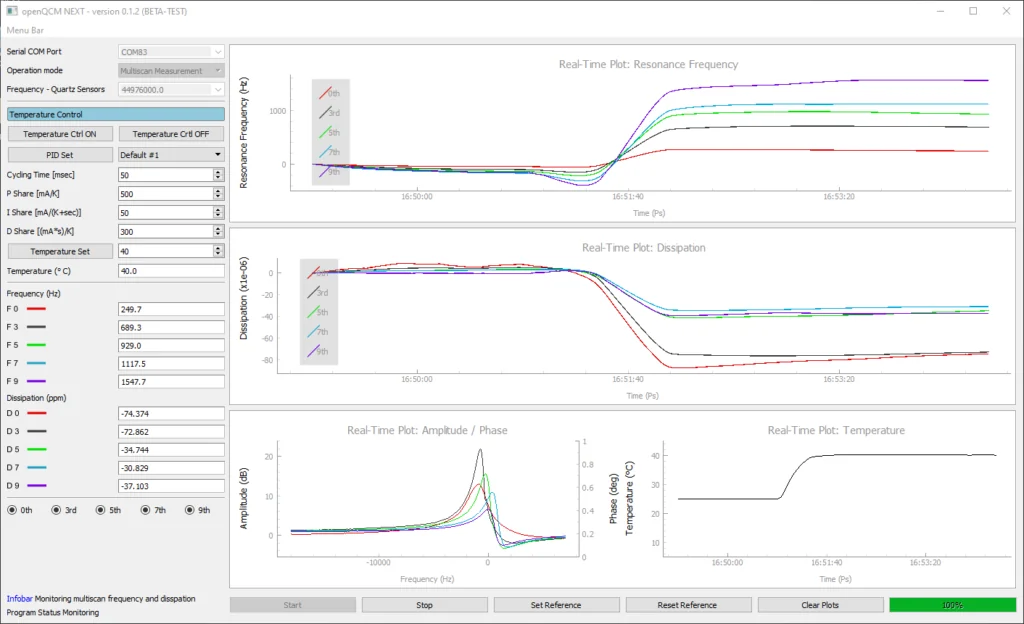
The openQCM NEXT software is developed in Python — open-source, object-oriented, and suited for scientific applications. Python makes the program easy to modify and develop for custom applications.
- Instrument
- openQCM NEXT
- Sheet
- 05 / 06
- Title
- Software
- Drawn
- openQCM · Pompeii
Firmware and software, both open.
Make open science by taking advantage of one of the most popular and active communities for collective research. The Teensy 4.0 development board at the heart of openQCM NEXT is programmed in an Arduino-based language — controlling the DDS synthesizer, reading the phase-gain comparator output through the ADC channels, and streaming raw data.
Download a stand-alone executable for Windows 64-bit, or the Python source code for any platform. The open-source approach encourages users to develop, modify, and share their code — fostering an innovative, collaborative environment.
How to install the software
# 1. Install Anaconda (Python 3.9): links belowconda install pyserialconda install pyqtgraph# 2. From the main folder of the source codepython -m openQCM
# 1. Download the executable v0.1.5 and unzip itcd openQCM_Next_py_0.1.5# 2. Double-click the shortcutopenQCM-NEXT-0.1.5.exe.lnk
Software, firmware, documentation
Files served from openqcm.com and the vendors' sites. Open source: see the licence inside each package.